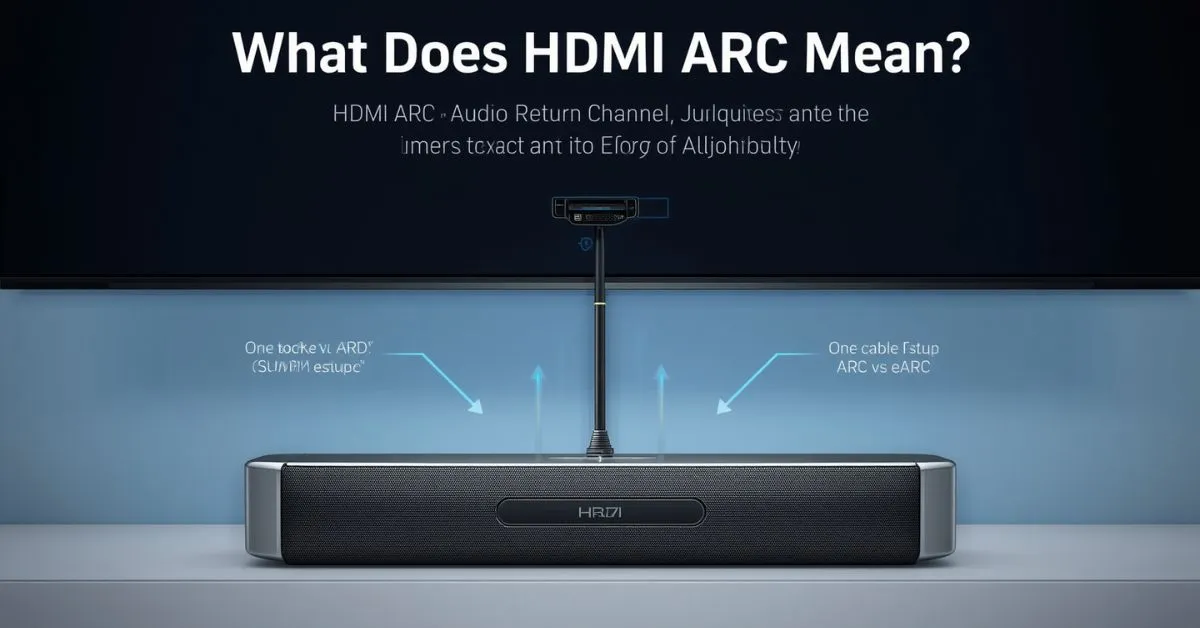
HDMI ARC means Audio Return Channel. It is a feature on certain HDMI ports that lets your TV send sound back to a soundbar or AV receiver through the same HDMI cable already connecting your devices. That means fewer cables, simpler setup, and better TV audio.
If you have ever looked at the back of a smart TV and seen one HDMI port labeled ARC or eARC/ARC, you may have wondered what it actually does. The short answer is simple: it helps your TV send audio to an external speaker system such as a soundbar, home theater system, or AV receiver without needing a separate optical cable.
That makes HDMI ARC one of the most useful features in a modern TV setup, especially if you watch streaming apps, cable, satellite, Blu-ray, PlayStation, or Xbox through the same screen.
What does HDMI ARC mean?
ARC stands for Audio Return Channel. In a normal HDMI connection, sound and video travel from a source device to the TV. ARC adds a return path, so the TV can also send audio back through HDMI to a connected audio device.
HDMI.org says ARC was introduced with the HDMI 1.4b specification, while eARC, or Enhanced Audio Return Channel, came later as part of HDMI 2.1.
In everyday use, this means your TV can send sound from built-in apps, over-the-air channels, or devices connected to the TV into your soundbar or receiver through one HDMI cable. Sony describes ARC as a way to connect the TV and audio system with a single High Speed HDMI cable and remove the need for an extra optical or analog audio cable.
What does HDMI ARC do on a TV?
On a TV, HDMI ARC has one main job: send TV audio to an external audio system. That is why people often search for phrases like what does HDMI ARC mean on a TV, what is HDMI ARC used for, and do I need HDMI ARC for a soundbar.
If you use the TV’s internal apps or plug devices directly into the TV, ARC lets the sound move back to your speaker system without adding more wires.
This matters because many people use their TV as the center of the setup. A streaming app like Netflix, YouTube, Disney+, or Prime Video runs on the TV, while the sound needs to play through a soundbar or AVR. Without ARC, you would usually need an extra optical/TOSLINK cable. With ARC, one HDMI connection handles it more neatly.
How HDMI ARC works
Think of HDMI ARC as a two-way audio path. Your TV still receives video and sound from connected devices, but it can also send audio back “upstream” to a soundbar or AV receiver through the same HDMI link.
HDMI.org specifically describes ARC as allowing an HDMI-connected TV to send audio upstream to an AVR or soundbar, eliminating the need for a separate audio cable.
A simple example makes this easier to understand. Imagine your Xbox, Blu-ray player, or cable box is connected to the TV, and your soundbar is connected to the HDMI port labeled ARC. The TV shows the picture, but the sound goes back through the ARC connection to the soundbar. The same thing happens when you open a built-in streaming app on the TV.
ARC also often works together with HDMI-CEC, the control system that helps devices talk to each other. This is why one TV remote can sometimes control soundbar volume or power. Different brands use different names for HDMI-CEC, including Samsung Anynet+, Sony BRAVIA Sync, LG SIMPLINK, Philips EasyLink, and Panasonic VIERA Link.
HDMI ARC vs eARC
Many people searching what does HDMI ARC mean also want to know the difference between ARC and eARC. Both do the same core job: they send TV audio to an external audio device through HDMI.
The big difference is bandwidth and audio support. eARC supports higher-bitrate and uncompressed formats, while ARC is more limited. HDMI.org says eARC supports advanced formats such as uncompressed 5.1 and 7.1, Dolby TrueHD, DTS-HD Master Audio, Dolby Atmos, and DTS:X. Sony says eARC supports up to 37 Mbps and high-bitrate formats such as Dolby Atmos, DTS:X, DTS-HD Master Audio, and Dolby TrueHD.
ARC vs eARC comparison table
The table below summarizes the practical difference between ARC and eARC based on HDMI.org, Sony, and Sonos support guidance.
| Feature | HDMI ARC | HDMI eARC |
|---|---|---|
| Full name | Audio Return Channel | Enhanced Audio Return Channel |
| HDMI generation | Commonly associated with HDMI 1.4b | Introduced with HDMI 2.1 |
| Main use | Send TV audio to soundbar or AVR | Same job, but with much more audio bandwidth |
| Best for | Everyday TV audio and simple soundbar setups | Premium home theater and higher-end audio |
| Supported audio | PCM stereo and common compressed surround formats | Uncompressed 5.1/7.1, Dolby TrueHD, DTS-HD Master Audio, Dolby Atmos, DTS:X |
| Dolby Atmos | Possible in some cases using Dolby Digital Plus | Better choice for lossless Dolby Atmos via Dolby TrueHD |
| Who should choose it | Most casual users | Users who want the best audio quality |
A key detail many articles miss is this: ARC can carry some Dolby Atmos, but not the lossless version. Sonos says most Dolby Atmos audio can play through HDMI ARC using Dolby Digital Plus, but HDMI eARC is required for lossless Dolby Atmos using Dolby TrueHD. That is why eARC matters more for serious home theater setups than for basic soundbar use.
HDMI ARC vs optical
Another major related search is HDMI ARC vs optical. For many users, this is the real buying or setup question.
RTINGS says the basic audio quality and format support between HDMI ARC and optical are the same, while HDMI eARC offers much more bandwidth and wider format support. RTINGS also notes that HDMI ARC and eARC add extra functionality such as shared device controls that optical does not provide.
HDMI ARC vs optical comparison table
| Feature | HDMI ARC | Optical / TOSLINK |
|---|---|---|
| Main purpose | Send TV audio through HDMI | Send TV audio through optical cable |
| Cable clutter | Lower | Higher |
| Device control | Often works with HDMI-CEC and one remote | No HDMI-CEC control benefits |
| Audio support | Similar to optical for basic formats | Similar to ARC for basic formats |
| Best choice | Modern TV + soundbar setups | Older gear or when ARC is unavailable |
So, is HDMI ARC better than optical? In most modern TV setups, yes. If both your TV and soundbar support ARC, HDMI is usually the cleaner and more convenient choice. Optical still makes sense when one device does not support ARC or when HDMI-CEC causes compatibility issues.
How to know if your TV has HDMI ARC
Most TVs clearly label the correct port as ARC, eARC, or eARC/ARC. Samsung says the HDMI port is labeled ARC on the back of the TV or One Connect Box, and Sony notes that the ARC-compatible HDMI port is identified on the device. Your soundbar or AV receiver will also have a matching ARC or eARC port.
If you do not see the label, check the TV manual or support page. This matters because not every HDMI input on a TV supports ARC.
Plugging into the wrong port is one of the most common reasons people think ARC is broken when the real problem is just the port choice.
How to set up HDMI ARC with a soundbar or AV receiver
The basic setup is simple. Samsung’s support steps are straightforward: connect one end of the HDMI cable to the TV’s HDMI IN (ARC) port, connect the other end to the speaker’s HDMI OUT (TV-ARC) port, power on the speaker, and make sure the correct settings are enabled. Sony also says ARC needs a High Speed HDMI cable.
Basic setup steps
- Connect the TV’s HDMI ARC/eARC port to the soundbar or AV receiver’s ARC/eARC port.
- Turn on both devices.
- Set the TV audio output to the external audio system.
- Enable HDMI-CEC if needed.
- If available, turn on audio passthrough or eARC mode in the TV settings.
CEC settings can have different names
Because ARC often depends on HDMI-CEC, you may need to enable the correct setting for your TV brand:
- Samsung: Anynet+
- Sony: BRAVIA Sync / Control for HDMI
- LG: SIMPLINK
- Philips: EasyLink
- Panasonic: VIERA Link
What cable do you need for HDMI ARC?
For standard ARC, Sony says a High Speed HDMI cable is needed. For eARC, cable requirements can depend on the setup, but HDMI.org says Ultra High Speed HDMI cables were introduced with HDMI 2.1, and Sony notes that some eARC setups require a cable with Ethernet.
In practical terms, a decent certified HDMI cable is usually enough for ARC. If you are using eARC and advanced audio formats, a better certified cable is the safer choice.
Cheap, poor-quality, or damaged cables are a common source of ARC and eARC problems. Samsung specifically notes that unauthorized or low-quality cables can cause errors.
Common mistakes to avoid
One common mistake is using the wrong HDMI port. ARC only works on the HDMI port labeled ARC or eARC/ARC, not just any HDMI input. Another is forgetting to switch the TV from internal speakers to the external audio system.
Sony’s troubleshooting guidance also shows that “no sound” issues are common enough to deserve dedicated help articles.
Another mistake is expecting ARC to improve picture quality. ARC is an audio feature, not a video upgrade. It does not make 4K, HDR, 120Hz, or gaming performance better. It only changes the way sound travels between your TV and your sound system.
A third mistake is assuming every Dolby Atmos setup needs eARC. That is not quite true. Some Atmos content can pass over ARC using Dolby Digital Plus, but if you want lossless Atmos over Dolby TrueHD, eARC is the correct choice.
Why HDMI ARC is not working
If HDMI ARC is not working, the problem is usually one of a few common issues:
- the cable is in the wrong HDMI port
- HDMI-CEC is turned off
- the TV is still using internal speakers
- the HDMI cable is faulty or low quality
- another connected device is causing an HDMI handshake problem
- the audio format or passthrough setting is mismatched
Samsung recommends removing other external devices and testing again, because some devices do not properly comply with HDMI connection specifications and can interfere with ARC or eARC operation.
Sony’s HDMI-CEC troubleshooting also recommends disconnecting HDMI devices and power resetting the TV or audio system when control features stop working correctly.
If you are troubleshooting, start with the basics: use the labeled ARC port, reseat both ends of the cable, enable the TV’s CEC setting, select the audio system as output, restart both devices, and test with another certified HDMI cable. Those steps fix a large number of ARC issues.
When ARC is enough and when eARC is worth paying for
ARC is enough for most people with a regular soundbar, especially if they mainly watch TV apps, cable, sports, or movies in common surround formats.
If your goal is simple setup, fewer cables, and better sound than the built-in TV speakers, ARC is usually all you need.
eARC is worth it if you are building a more serious home theater with an AV receiver, higher-end soundbar, Dolby Atmos, Dolby TrueHD, DTS-HD Master Audio, or DTS:X. It is also the better choice if you want more future-proof audio support from a new TV.
FAQs
What does ARC stand for in HDMI?
ARC stands for Audio Return Channel. It lets a TV send audio back to a soundbar or AV receiver through HDMI.
What does HDMI ARC mean on a TV?
It means the TV has a special HDMI port that can send TV audio to an external speaker system using the same cable connection.
Is HDMI ARC the same as eARC?
No. eARC is the newer, more advanced version with more audio bandwidth and wider support for high-bitrate formats.
Is HDMI ARC better than optical?
Usually yes. ARC gives you similar basic audio support to optical while also reducing cable clutter and often enabling one-remote control through HDMI-CEC.
Can HDMI ARC do Dolby Atmos?
Yes, in some cases. Sonos says most Dolby Atmos audio can play through HDMI ARC using Dolby Digital Plus, but lossless Dolby Atmos over Dolby TrueHD needs eARC.
Do I need a special cable for HDMI ARC?
For ARC, a High Speed HDMI cable is typically enough. For eARC, a higher-grade certified cable may be needed depending on the setup.
How do I know if my TV has HDMI ARC?
Look for an HDMI port labeled ARC, eARC, or eARC/ARC on the TV and on the soundbar or receiver.
Why is my HDMI ARC not working?
The most common causes are using the wrong port, disabled HDMI-CEC, incorrect audio output settings, a weak cable, or a device compatibility issue.
Final takeaway
So, what does HDMI ARC mean? It means Audio Return Channel, a feature that lets your TV send sound back to a soundbar or AV receiver through HDMI.
It makes TV audio setup cleaner, cuts down on extra cables, and works especially well with modern smart TVs and soundbars. If you want basic better sound, ARC is great. If you want the best surround formats and lossless audio, step up to eARC.
Click Below To Read About These Posts:
What Does Civil Rights Mean? Definition, Examples, Differences
What Does OTE Mean in Sales? Salary, Commission, and Examples
What Does CFS Mean? Medical, Shipping, Instagram & More

Hello! I’m Clara Lexis, creator of Meanpedia.com. I specialize in breaking down words, phrases, and idioms so that anyone can understand and enjoy the beauty of English. My goal? Making language approachable, fun, and meaningful, one word at a time.