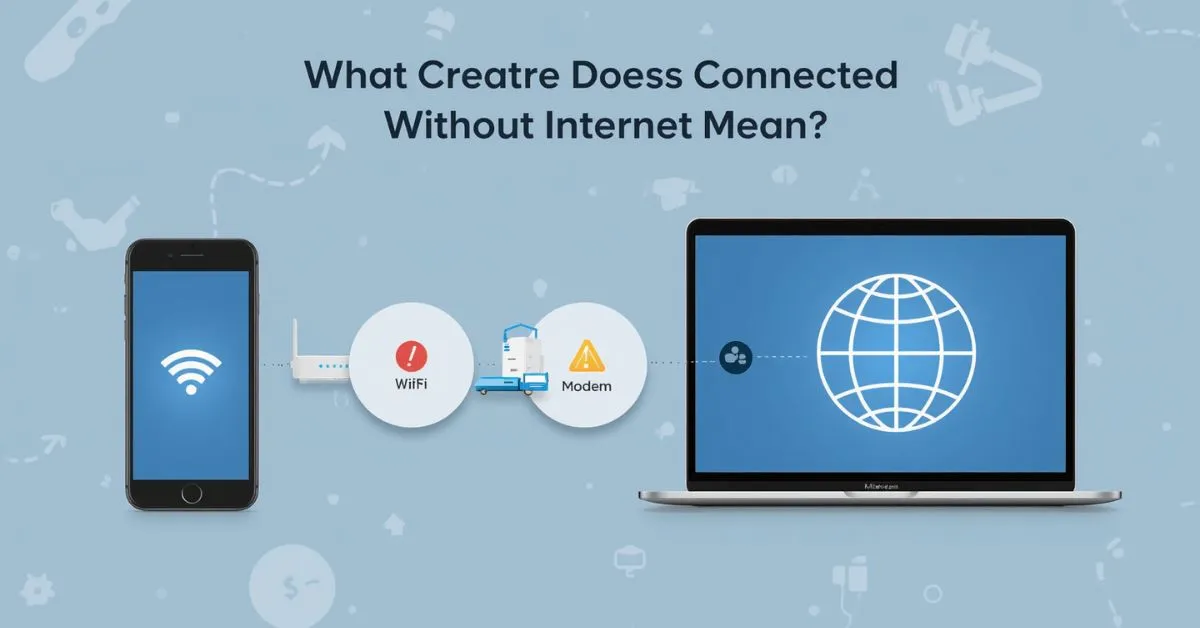
Connected without internet means your phone, laptop, tablet, smart TV, or other device has joined a Wi-Fi network, but that network is not giving the device working access to the web.
In simple terms, your device can talk to the router or access point, but something between the router, modem, gateway, DNS server, or ISP is stopping the internet connection from working properly. Google and Apple both distinguish between joining a Wi-Fi network and actually getting online.
You will often see this message on Android, Samsung, Google Pixel, Windows, iPhone, iPad, Mac, or even a Chromebook-like setup when the device passes the Wi-Fi step but fails the internet step.
That is why the warning feels strange: the Wi-Fi icon may look normal, yet websites, apps, email, streaming, cloud sync, and downloads still fail. Microsoft, Apple, and Google support pages all treat this as a network path problem rather than a simple “Wi-Fi is off” problem.
Connected to Wi-Fi is not the same as connected to the internet
A lot of people think Wi-Fi and internet mean the same thing, but they do not. Wi-Fi is the short-range wireless link between your device and your router.
The internet is the larger path that goes from your home network to your internet service provider and then out to websites, apps, and online services. Apple’s support content makes the same distinction when it says a Mac can be connected to Wi-Fi but still not get online.
Here is the easiest way to understand it:
| Status | What it means | What usually works |
|---|---|---|
| Connected to Wi-Fi | Your device joined the local wireless network | Router settings, local devices, maybe printers |
| Connected to internet | The network has a working path to the web | Websites, apps, streaming, downloads |
| Connected without internet | The Wi-Fi link works, but internet access fails | Limited local access only |
This is why someone can say, “My phone is connected,” while also saying, “Nothing loads.” Both statements can be true at the same time.
What is happening in technical terms
When this warning appears, your device has often already joined the SSID and received an IP address from the router through DHCP. That means the local network handshake likely worked.
The failure usually happens later, when the device tries to reach an outside service on the internet and cannot complete that check. Microsoft and Apple both recommend checking whether the problem is the network, the device, or software such as a VPN or other security tools.
The weak point in many articles is that they stop at “your Wi-Fi is not working.” A better explanation is this: the device may have a valid local connection, but the WAN side of the network is failing, the gateway is not responding properly, DNS is broken.
The modem is offline, the ISP is down, or a sign-in page on public Wi-Fi has not been completed yet. Google’s support also notes that if a phone connects to Wi-Fi but still has no internet, the issue is most likely with the internet connection itself.
Why your device says connected without internet
The router or modem is the problem
This is one of the most common causes. Your router can keep broadcasting Wi-Fi even when the modem has lost service or the Ethernet link between them is not working. In that case, your phone or laptop sees a usable wireless network, connects to it, and then discovers that the web is still unreachable.
Apple and Microsoft both include router checks and network equipment restarts in their official troubleshooting steps.
Your ISP has an outage
If every device in the house shows the same warning, the problem is often with the ISP, not your phone. A service outage, a billing hold, line damage, or maintenance can all cause Wi-Fi to stay visible while internet access disappears.
Google’s guidance for Android Wi-Fi issues also points users toward the internet connection itself when the device connects to Wi-Fi but still has no internet.
DNS, gateway, or IP problems
Sometimes the network is partly alive, but your device cannot resolve web addresses because of a DNS issue. In other cases, the default gateway or local configuration is wrong, or the device is holding onto stale network details.
Microsoft recommends forgetting and reconnecting to the Wi-Fi network in Windows, while Apple recommends resetting network settings on iPhone or removing and rejoining a network on Mac when Wi-Fi settings are corrupted.
Captive portal on public Wi-Fi
Hotels, airports, hospitals, cafés, schools, and business guest networks often use a captive portal. That means you must open a sign-in page, accept terms, enter a room number, or complete payment before full internet access is granted.
Google’s captive portal documentation explains that public networks commonly require this sign-in step before users can use the internet.
VPN, proxy, or security software interference
Sometimes the internet is fine, but the device is blocked by a VPN, proxy, firewall, or other security software. Apple specifically tells users to check VPN or other security software when a Mac or iPhone can join Wi-Fi but cannot get online.
How to diagnose it fast
The fastest way to solve this problem is not random guessing. It is a short decision process.
| If this is happening | Most likely cause | Best first step |
|---|---|---|
| All devices are offline | Router, modem, ISP, or service outage | Restart modem and router, then check ISP status |
| Only one device is offline | Device settings, VPN, stale network profile | Forget network, reconnect, restart device |
| Public Wi-Fi shows the warning | Captive portal sign-in not completed | Open a browser and trigger the login page |
| Home Wi-Fi works on some apps but not websites | DNS or software issue | Reconnect, disable VPN, try another DNS |
| Hotspot connects but no web access | Carrier, hotspot settings, or signal issue | Restart hotspot and test mobile data |
This symptom-based approach matches the logic used across Google, Microsoft, and Apple support flows: first determine whether the issue is device-specific, network-wide, or related to sign-in or software.
What to do first when you see connected without internet
Check whether the problem affects one device or all devices
This is the most important first step. If your Android phone, iPhone, Windows laptop, and smart TV all show the same problem, focus on the router, modem, and ISP.
If only one device fails, focus on that device’s network settings. Microsoft and Apple both recommend testing whether the issue occurs with one network or one device before going deeper.
Restart your device
Google recommends basic checks like turning Airplane mode on and off and confirming the device is connected properly. Restarting the device can clear a temporary network bug, refresh the wireless connection, and force a new network check.
Restart the modem and router in order
Unplug the modem and router, wait a short time, plug the modem back in first, wait for it to stabilize, then power on the router. This remains one of the most reliable ways to clear temporary network faults. Microsoft’s Surface and Windows troubleshooting guidance includes restarting network equipment as a standard early fix.
Check cables, lights, and distance
Make sure the Ethernet cable between modem and router is secure, the internet light is normal, and your device is in range of the network. Google and Microsoft both advise moving closer to the router when signal strength is weak.
How to fix it on different devices
Android and Samsung phones
On Android, start with the basics: confirm Wi-Fi is on, make sure you are connected to the correct network, toggle Airplane mode, move closer to the router if signal is weak, then reconnect. Google also provides steps for disconnecting and reconnecting to a Wi-Fi network from Network & internet settings.
If that does not help, forget the network and join it again. If the problem is only on one Android device, look for a VPN, battery-saving feature, or a bad saved Wi-Fi profile. On public Wi-Fi, open a browser and try to trigger the captive portal login page.
iPhone and iPad
Apple recommends checking whether the issue happens on one specific network, uninstalling VPN or security software if present, and resetting network settings when needed. On iPhone, Reset Network Settings resets Wi-Fi networks and passwords, cellular settings, and VPN and APN settings.
That makes it one of the best fixes when an iPhone says connected without internet but other devices work.
Windows laptop or PC
Microsoft recommends running the Network Troubleshooter, checking Airplane mode, forgetting the Wi-Fi network, and reconnecting. Windows also points users to Network & Internet settings for deeper diagnosis.
This makes Windows one of the easier platforms for identifying whether the problem is the wireless adapter, saved network profile, or a broader network fault.
MacBook and Mac
Apple says that if a Mac is connected to Wi-Fi but cannot reach websites, email, or internet services, users should check the Wi-Fi connection, restart the Mac, update macOS if possible, review VPN or security software, check the Wi-Fi router, and use built-in diagnostics.
Apple also explains that you can remove a remembered Wi-Fi network and rejoin it to reset that connection.
Common mistakes to avoid
Mistaking a strong Wi-Fi signal for a working internet connection
A full signal only tells you that the device is close enough to the router or access point. It does not prove the modem, DNS, gateway, or ISP connection is healthy. Microsoft and Apple both separate Wi-Fi connection checks from internet access checks.
Resetting everything too early
A full factory reset of the router should not be your first move. It can erase SSID names, passwords, parental controls, and custom settings without solving an ISP outage or captive portal issue. Start with restart, reconnect, and device-specific checks first.
Ignoring public Wi-Fi sign-in pages
Many people connect to a hotel or airport network and assume the internet should work instantly. On many guest networks, it will not work until the portal page is completed.
Leaving VPN or security software running during testing
Because Apple specifically flags VPN and security software as possible causes, it is smart to disable them temporarily while troubleshooting.
When connected without internet is not a serious problem
Sometimes this message does not mean something is broken. A device can still work on the local network even when the internet is down.
For example, you may still reach a router setup page, use a network printer, or connect to certain local smart home devices. Apple’s networking guidance makes clear that connecting to a network and connecting to the internet are related but separate things.
It can also happen on setup networks for cameras, smart plugs, mesh systems, and other devices that create temporary Wi-Fi just for local configuration. In that case, “connected without internet” is expected.
How to prevent it from happening again
Keep your router firmware, phone software, Windows updates, and macOS updates current. Apple and Microsoft both include software updates in Wi-Fi troubleshooting because outdated software can affect connectivity.
Place the router in a central location, avoid weak coverage zones, and replace very old network hardware if the problem repeats often.
When troubleshooting in the future, always use the same order: check another device, restart your network equipment, look for public Wi-Fi login pages, then troubleshoot the single device if other devices still work. That order saves time and avoids unnecessary resets.
FAQ
Why does my phone say connected without internet?
It usually means your phone joined the Wi-Fi network successfully, but the network is not providing working web access because of a router, modem, ISP, DNS, captive portal, or device setting issue.
Does connected without internet mean my router is broken?
Not always. The router may be fine, while the modem, internet line, ISP, or sign-in page is the real problem.
Why does it happen on Android?
Google’s troubleshooting steps show that Android Wi-Fi issues can come from weak signal, incorrect connection state, temporary device glitches, or broader internet problems on the network itself.
Why is my iPhone connected to Wi-Fi but still not working?
Apple recommends checking whether the issue is tied to one network, removing VPN or security software if needed, and resetting network settings if the saved network configuration is faulty.
What should I do first on Windows?
Microsoft recommends running the Network Troubleshooter, checking Airplane mode, forgetting the Wi-Fi network, and reconnecting.
Can public Wi-Fi cause this message?
Yes. Hotels, airports, and cafés often use captive portals that require a login or agreement page before internet access is allowed.
Can I still use anything without internet?
Sometimes yes. Local network tools such as router settings, printers, and some smart devices may still work even when the internet path is down.
Is resetting network settings safe?
On iPhone, Apple says Reset Network Settings clears Wi-Fi networks and passwords plus cellular, VPN, and APN settings, so it is useful but should be done knowing those saved settings will be removed.
Final takeaway
So, what does connected without internet mean? It means your device is connected to a Wi-Fi network but cannot reach the internet through that network. The cause may be the router, modem, ISP, DNS, DHCP, gateway, VPN, captive portal, or a device-specific network setting. Once you separate “local Wi-Fi connection” from “working internet access,” the message becomes much easier to understand and fix.
Click Below To Read About More Post:
45 Names That Mean Gold for Girls, Boys, and Unisex Use
What Does SPWM Mean in Text? Meaning, Tone, and Examples
What Does NT Mean? Text, Gaming and Slang Meanings Explained

Hello! I’m Clara Lexis, creator of Meanpedia.com. I specialize in breaking down words, phrases, and idioms so that anyone can understand and enjoy the beauty of English. My goal? Making language approachable, fun, and meaningful, one word at a time.