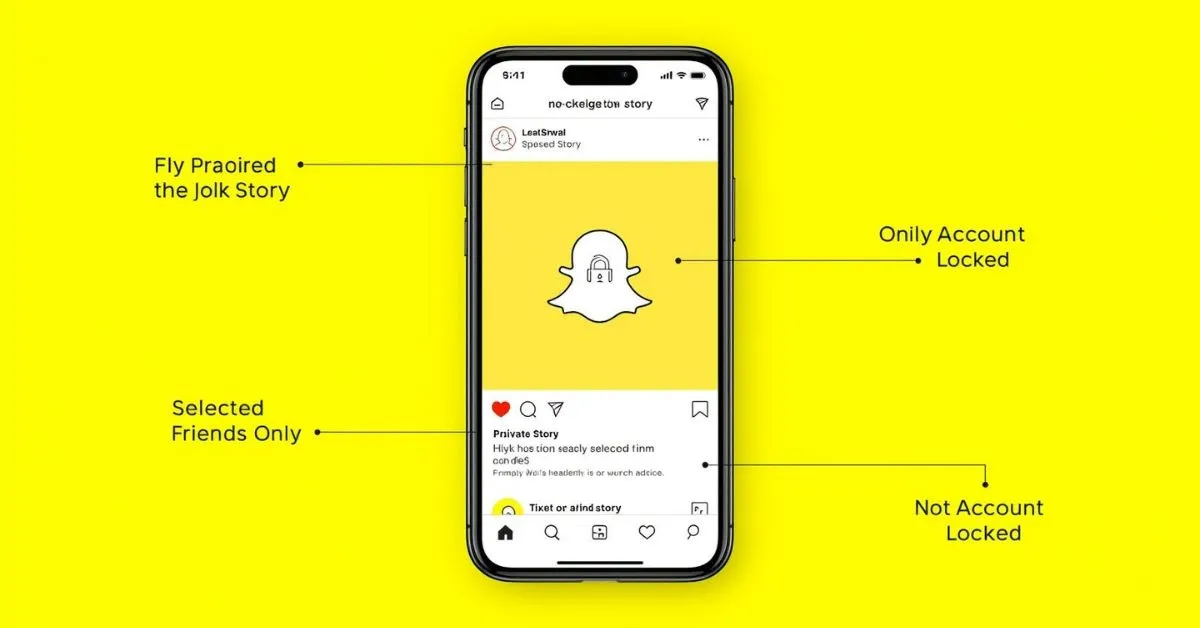
On Snapchat, the lock icon usually means a Private Story. A Private Story is visible only to the friends the creator selects, and only the creator can add Snaps to it. Snapchat’s help center also says friends who are not allowed to view that Private Story are not told it exists.
Snapchat uses small symbols to signal how Stories, privacy, and visibility work. That is why many users search what does the lock mean on Snapchat after seeing a small padlock on a Story.
The good news is that the meaning is usually simple: it points to a privacy setting, not a warning or punishment. In most cases, the lock icon means the Story is limited to a selected audience instead of being shared more broadly. Snapchat’s official documentation ties the padlock icon directly to Private Stories.
What does the lock mean on Snapchat?
The direct answer is this: the lock on Snapchat usually means the Story is a Private Story. Snapchat says Private Stories have a padlock icon, only the creator can add Snaps to them, and the creator decides which friends can view them.
This matters because users often assume the icon means something more serious, such as being blocked, having a restricted account, or seeing a hidden chat setting. For Stories, that is usually not the case. The lock is mainly about Story privacy and audience control.
Where do you see the lock icon on Snapchat?
Most people notice the lock while viewing a friend’s Story or looking through the Story list on Snapchat.
Snapchat explains that friends who can view a Private Story may see those Snaps mixed in with My Story, while on Android devices Private Stories and My Stories can appear separately. That is one reason the icon can feel confusing at first.
What the lock tells you as a viewer
If you can see a Story with a lock, you were likely included in the creator’s selected viewer list for that Private Story. If someone is not on that viewer list, Snapchat says they are not notified that the Private Story exists. In simple terms, the lock means the Story is not open to everyone.
What the lock does not mean
The lock on a Story does not usually mean your Snapchat account is locked. Snapchat treats locked accounts as a separate login or enforcement issue and provides different support steps for that problem.
It also does not automatically mean someone blocked you. For this search query, the lock almost always refers to a Story privacy feature.
How Private Stories work on Snapchat
A Private Story is designed for limited sharing. Snapchat says only the creator can add Snaps to that Story, and only the friends chosen by the creator can view it. That makes it useful for close friends, family updates, inside jokes, travel content, or behind-the-scenes posts that are not meant for a full audience.
Only selected friends can view it
This is the main reason the lock exists. It signals that the content is meant for a smaller group. If you are one of the selected friends, you can see the Story.
If you are not, Snapchat does not tell you that you were left out. That private audience control is one of the core features behind the lock icon.
Only the creator can add Snaps
This detail is important because many users confuse a Private Story with a Shared Story. In a Private Story, only the creator can post.
In a Shared Story, selected friends can view and add Snaps. Snapchat’s official help pages separate these two story types clearly.
Snapchat lock meaning: Private Story vs other Snapchat features
The easiest way to understand the lock icon is to compare it with nearby Snapchat features that people often mix together.
| Feature | What it means | Who can view it | Who can add to it |
|---|---|---|---|
| Private Story | A Story for a selected group of friends | Only chosen friends | Only the creator |
| Shared Story | A collaborative Story for selected people | Chosen participants | Selected participants |
| My Story | Your standard Story based on your Story privacy setting | Friends or broader audience, depending on settings | Only you |
| My Eyes Only | A passcode-protected section inside Memories | Only you with the passcode | Not a live Story |
| Locked account | An account access or policy issue | Not a Story feature | Not related to posting a Story |
This comparison matters for SEO and user intent because people searching what does a lock mean on Snapchat often mix up Private Story, My Eyes Only, and account locked.
Snapchat says My Eyes Only is a private area inside Memories that requires a passcode to open, which is very different from a Story with a lock icon. Snapchat also has separate help guidance for accounts that are temporarily or permanently locked.
Private Story vs Shared Story
If the content is marked with a lock and belongs to one person’s Story, it usually points to a Private Story. Snapchat says Shared Stories are created differently and allow selected people to add Snaps too. This is one of the biggest confusion points in Snapchat symbols and Story settings.
Private Story vs My Eyes Only
This is another common misunderstanding. My Eyes Only is not a Story icon for viewers. It is a passcode-protected area in Memories where a user can store saved Snaps and Stories privately. So if you are looking at a Story and see a lock, that usually means Private Story, not My Eyes Only.
Private Story vs a locked account
A locked account is a completely different problem. Snapchat says account locks affect access and login, and users may need to unlock the account or appeal in the app, depending on the case. That has nothing to do with a lock appearing on a Story.
How to create a Private Story on Snapchat
Snapchat says users can create a new Private Story or Shared Story from their profile. To do that, go to your Profile, tap New Private Story or + New Story, choose who can view it, and give it a name. This is the feature behind the lock icon people see on Snapchat Stories.
How to manage who can see your Story
Snapchat also lets users change privacy settings in the app. In Settings, users can go to privacy controls and adjust who can view their Story.
Snapchat says some users may see options like My Friends or Custom, and it notes that the privacy setting on a Story Snap stays with that Snap even if settings change later.
That means Story privacy on Snapchat is more flexible than many users think. The lock icon is one visible sign that the creator chose a restricted audience instead of normal Story visibility.
Real examples of what the lock means on Snapchat
Example 1: Close friends only
Your friend posts a weekend Story with a lock icon. You can see it, but another mutual friend cannot. In that case, you were likely included in the Private Story audience and the other person was not. Snapchat says people who cannot view a Private Story are not notified that it exists.
Example 2: Personal updates without a public audience
A user wants to share family photos, funny clips, or personal updates only with a small group. Instead of posting to a broader Story, they create a Private Story. The lock icon helps show that the content is limited to selected viewers.
Example 3: Confusion with saved content
Someone hears “lock” and thinks Snapchat moved the post into My Eyes Only. That is not how it works. My Eyes Only is inside Memories and requires a passcode, while a Story lock is about who can view the Story now.
Common mistakes to avoid
Thinking the lock means you were blocked
This is one of the most common mistakes. The lock icon on a Story is mainly about privacy and viewer selection. It is not a normal signal that someone blocked you.
Thinking the lock means your account is locked
A Story lock and an account lock are different Snapchat features. Account lock issues affect access to the app, while the Story lock simply marks a Private Story.
Thinking Private Story and Shared Story are the same
They are not the same. Snapchat says a Private Story is creator-only for posting, while a Shared Story allows selected people to add Snaps too.
Thinking a privacy change updates old Story Snaps automatically
Snapchat says the privacy settings attached when you send a Snap to your Story stay with that Snap, even if you later change your settings. That is easy to miss, but it matters.
Practical takeaways
The best way to answer what does the padlock mean on Snapchat is to keep it simple. The lock icon usually means a Private Story. That means the Story is visible only to selected friends, only the creator can add to it, and people outside that viewer list are not alerted that it exists.
For users trying to understand Snapchat symbols, this is the key point:
Story lock = Private Story
My Eyes Only = passcode-protected Memories
Locked account = access problem, not a Story icon
FAQs
Does the lock mean I am on someone’s Private Story?
Usually, yes. If you can see a Story with a lock, that generally means you are one of the selected viewers for that Private Story.
Can everyone see a locked Story on Snapchat?
No. Snapchat says only the chosen friends can view a Private Story. People outside that group are not notified that it exists.
Does the lock mean my Snapchat account is locked?
No. A locked account is a separate access issue. The lock on a Story usually refers to a Private Story instead.
Is the lock icon the same as My Eyes Only?
No. My Eyes Only is a passcode-protected section inside Memories. A lock on a Story usually means Private Story.
What is the difference between Private Story and Shared Story?
In a Private Story, only the creator can add Snaps. In a Shared Story, selected friends can add Snaps too.
How do I make a Private Story on Snapchat?
Snapchat says to go to your Profile, tap New Private Story or + New Story, choose who can view it, and give it a name.
Can I change who sees my Story later?
Yes. Snapchat provides Story privacy controls in Settings, though existing Story Snaps keep the privacy setting they had when posted.
Why do some Stories have a lock and others do not?
Because not all Stories use the same privacy settings. A locked Story is usually a Private Story, while other Stories may be normal My Story, Shared Story, or public-facing Story content depending on the account setup.
Conclusion
So, what does the lock mean on Snapchat? In almost every normal Story context, it means the Story is a Private Story shared only with selected friends. Once you know that, the icon becomes much easier to understand.
For a stronger Snapchat content cluster, this topic also connects naturally with guides on Snapchat symbols, Private Stories, Shared Stories, Memories, My Eyes Only, and Story privacy settings.
Read Also These Posts:
What Does HRV Mean? Heart Rate Variability Explained
What Does Twin Mean in Slang? Meaning, Text Use, and Examples
What Does Epiphany Mean? Definition, Uses, and Examples

Hi, I’m Evan Lexor, the voice behind Meanpedia.com. I break down English words, slang, and phrases into clear, simple meanings that actually make sense. From modern internet terms to everyday expressions, my goal is straightforward: help you understand English better, faster, and with confidence, one word at a time.