“Emphasized an image” usually means someone reacted to your photo with the exclamation-point Tapback in Apple Messages. It does not usually mean the image was edited, enhanced, or resent. In mixed iPhone and Android chats, that reaction may appear as a text line instead of a visual icon.
If you saw the phrase “emphasized an image” in a text conversation, the message can look confusing at first. Many people think it means a photo was changed, highlighted, enlarged, or edited. In most cases, that is not what happened.
On an iPhone, in iMessage, and in the Messages app, this phrase usually points to a Tapback reaction. More specifically, it refers to the double-exclamation reaction someone placed on a photo, image, or picture in the chat.
This guide explains exactly what “what does emphasized an image mean” means in plain English, why it appears on Apple Messages, how it looks on Android, how it relates to RCS, SMS, and MMS, and what it means in the smaller secondary context of photography, graphic design, visual hierarchy, and image composition.
What does “emphasized an image” mean?
In simple terms, it means someone reacted to your photo with emphasis. On iPhone, Apple’s Tapbacks let users respond quickly with a heart, thumbs-up, thumbs-down, laugh, exclamation points, or question mark.
The wording “emphasized an image” is the system-style phrase linked to the exclamation-point reaction on a photo or image.
So if someone emphasized your image, they are usually saying something like:
- “This is important.”
- “Wow, look at this.”
- “This stands out.”
- “Pay attention to this.”
- “I really want to highlight this photo.”
That reaction is stronger than a basic like, but it is not exactly the same as love. It adds attention and importance, not just approval.
Why does my iPhone say “emphasized an image”?
Your iPhone says this because Messages is translating a Tapback reaction into text. Apple explains that Tapbacks are quick responses attached to a specific message or media item inside a conversation. When that Tapback is applied to a photo, the system may describe it using a phrase like “emphasized an image.”
This is why the phrase sounds unnatural. Real people do not usually type “I emphasized your image.” The Messages app generates that wording to describe what happened in the conversation.
It is system language, not everyday language. That is also why users often search for the exact phrase what does emphasized an image mean on iPhone after seeing it in a thread.
What does “emphasized an image” mean in iMessage?
In iMessage, the meaning is very specific: the sender used the exclamation-point Tapback on a photo. Apple’s Tapback feature includes reactions such as a heart, thumbs-up, thumbs-down, laughter, exclamation points, and a question mark. The wording tied to a photo can appear as system text instead of a plain symbol description.
This does not mean:
- the image was edited
- the photo was enhanced
- the picture was filtered
- the image was resent
- the sender changed the file itself
It usually means only one thing: a reaction was added to the image.
Does “emphasized an image” mean someone liked my photo?
Not exactly. It can be positive, but it is not the same as a simple like. Here is the clearest way to think about the different Tapback reactions on a photo in Apple Messages.
| Tapback reaction | System meaning on a photo | Usual real-life meaning |
|---|---|---|
| Heart | Loved an image | Strong affection or approval |
| Thumbs up | Liked an image | Basic approval |
| Thumbs down | Disliked an image | Disagreement or dislike |
| Haha | Laughed at an image | Found it funny |
| Exclamation points | Emphasized an image | Important, surprising, stands out |
| Question mark | Questioned an image | Confused, doubtful, wants clarification |
This comparison matters because many users mix up liked, loved, and emphasized. If someone emphasized your image, they may be highlighting it rather than praising it emotionally. In other words, emphasized is closer to “notice this” than “I love this.”
What does “emphasized an image” mean on Android?
On Android, especially in mixed chats between iPhone and Android users, reactions do not always appear the same way they do inside Apple’s ecosystem.
Google Messages explains that its option for showing iPhone reactions as emoji applies to text messages, not to images or other file types. From that, it is reasonable to infer that image reactions may still show up as text descriptions in some mixed-device conversations.
That is why an Android user may see a plain line such as:
“Emphasized an image”
instead of seeing the small exclamation reaction directly attached to the photo. The difference is caused by how iMessage, Google Messages, SMS, MMS, and RCS handle reactions and media across platforms.
iPhone, Android, RCS, SMS, and MMS: why the wording changes
Apple explains that iMessage, RCS, and SMS/MMS are different messaging systems. RCS on iPhone supports features like high-resolution media, read receipts, and typing indicators when carriers support it, while SMS/MMS is older and more limited.
These differences affect how media, reactions, and message formatting appear between devices.
That means the same photo reaction can look different depending on:
- whether both people use Apple devices
- whether the conversation is iMessage or RCS
- whether the chat falls back to SMS or MMS
- whether the phone and app support reaction translation properly
So when users ask what does emphasized an image mean in text messages, the answer depends partly on the messaging standard behind that conversation. On iPhone-to-iPhone chats, the reaction is cleaner. On mixed-device chats, the system wording may be more obvious.
How to emphasize a photo on iPhone
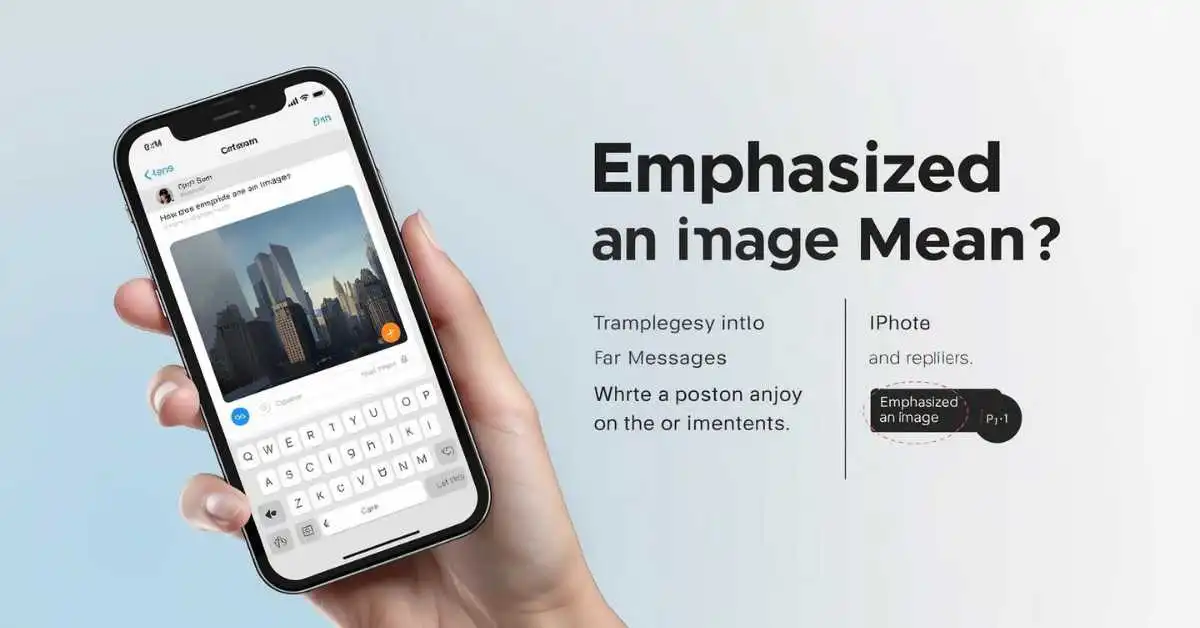
If you want to use the same reaction yourself, Apple says you can touch and hold a message, photo, or other item in the Messages app, then choose a Tapback. On supported Apple devices, that is how you add the exclamation-point reaction to a photo or image.
Steps to add the emphasize reaction
- Open Messages on your iPhone.
- Open the conversation.
- Press and hold the photo or image.
- Tap the exclamation-point Tapback.
How to remove or change it
Apple also explains that you can change or remove your own Tapback by selecting a different reaction or removing the one you added. Tapbacks are tied to a specific message or media item, and you can edit only your own reaction.
Common mistakes people make
1. Thinking the image was edited
This is the biggest mistake. In most cases, emphasized an image does not mean the photo was changed. It usually means someone reacted to it.
2. Confusing emphasized with loved
A heart reaction and an emphasize reaction are not the same. One signals affection. The other signals attention, urgency, or strong notice.
3. Assuming every device shows it the same way
That is not true. Apple Messages, Google Messages, Android, RCS, SMS, and MMS can show reactions differently, especially when the reaction is attached to a photo instead of plain text.
4. Thinking it is always serious
Sometimes the reaction is serious, but sometimes it is casual. Friends also use it playfully for memes, selfies, vacation photos, product screenshots, pet pictures, and funny images. Context matters.
Real Examples of what “emphasized an image” can mean
1. If your friend sends a vacation photo and you emphasize it, you may be saying, “Wow, this looks amazing.”
2. If a family member sends a document image, like a bill, address, or schedule screenshot, emphasizing it may mean, “This is important, please notice it.”
3. If someone sends a meme, emphasizing it may simply mean, “This is extra funny” or “This one stands out.”
4. If a coworker sends a product mockup, chart, or design concept, emphasizing it may mean, “This is the key image in the conversation.”
The exact emotion changes with context, but the base meaning stays close to importance, highlighting, attention, or strong reaction.
Secondary Meaning: What does “emphasize an image” mean in photography or design?
This is the smaller secondary meaning, but it is still worth covering because some users search the phrase outside text messaging. In photography, graphic design, and visual communication, to emphasize an image means making the main subject, focal point, or visual element stand out more clearly.
Adobe explains emphasis as a way to guide the viewer’s eye through contrast, scale, composition, and visual hierarchy. In photography, Adobe also points to tools like contrasting colors, focus, and depth of field to make the subject stronger.
That creative meaning includes entities such as:
- focal point
- subject
- contrast
- color
- scale
- sharpness
- depth of field
- composition
- framing
- leading lines
- visual hierarchy
- white space
So in design, “emphasized an image” can mean the image was made more visually dominant. But in Apple Messages, it almost always means a Tapback reaction first.
Quick answer: What should you remember?
If you searched what does emphasized an image mean, the short answer is this:
- On iPhone or iMessage, it usually means someone used the exclamation-point Tapback on a photo.
- In Android or mixed-device chats, it may appear as a text description because reactions can display differently across messaging systems.
- In photography or graphic design, it can mean making a visual subject stand out through emphasis and hierarchy.
FAQs
Is “emphasized an image” bad?
No. It is usually neutral or positive. It normally means someone wanted to highlight the photo, not criticize it.
Does “emphasized an image” mean they loved the picture?
No. A heart reaction means loved an image. Emphasized an image is the exclamation-point Tapback, which is closer to attention or importance.
Can I turn off these reaction messages?
You may be able to change how some reactions appear depending on your device and messaging app. Google Messages, for example, has settings for how iPhone reactions are shown for text messages.
Does it only happen with photos?
The phrase “emphasized an image” is tied to a photo or image item. Similar system phrases can also appear for text messages, but the wording changes based on what was reacted to.
Can Android users emphasize images too?
Android messaging apps support reactions, but what you see depends on the app, the chat type, and whether the conversation uses RCS, SMS, or something else. Google Messages supports reactions, but image behavior can differ from text behavior.
Does emphasized mean urgent?
Not always. It can suggest importance, but it can also be playful. The real meaning depends on the conversation.
Is “emphasized an image” the same as screenshotting it?
No. A Tapback reaction is not the same as taking a screenshot, editing a photo, or saving an image.
What is the design meaning of emphasizing an image?
In design, it means making the image or subject stand out more through contrast, scale, focus, composition, and visual hierarchy.
Conclusion
The strongest, most accurate answer is simple: “emphasized an image” usually means someone reacted to your photo with the exclamation-point Tapback in Apple Messages. It does not usually mean the image was edited.
The phrase appears because iPhone, iMessage, Android, Google Messages, RCS, SMS, and MMS do not always display reactions the same way across every device and file type. Outside messaging, the phrase can also refer to visual emphasis in photography and design, but that is the secondary meaning, not the main one.
Read Also This Post: What Does Indemnity Mean? Definition, Law, Insurance

Hi, I’m Evan Lexor, the voice behind Meanpedia.com. I break down English words, slang, and phrases into clear, simple meanings that actually make sense. From modern internet terms to everyday expressions, my goal is straightforward: help you understand English better, faster, and with confidence, one word at a time.