HTML means HyperText Markup Language. It is the standard language used to structure web page content, including headings, paragraphs, links, images, lists, and forms.
In simple terms, HTML tells a browser what each part of a page is, while CSS controls appearance and JavaScript adds interactivity.
If you have seen the term HTML in web design, blogging, SEO, coding, or website editing, you were probably looking for a simple answer, not a complicated technical lesson. The clear answer is that HTML is the basic structure behind web pages.
It does not usually make a page look stylish by itself, and it does not handle most interactive features on its own. Its main job is to organize content so browsers, search engines, and assistive tools can understand it properly.
What Does HTML Stand For?
HTML stands for:
HyperText Markup Language
Each part matters.
HyperText
HyperText means text that can connect to other content through links. That is where the “hyper” part comes in. A web page can link to another page, another section, a file, or a completely different website.
Markup
Markup means adding labels to content so a browser knows what that content represents. For example, HTML can mark text as a heading, paragraph, list, link, image caption, button, or navigation area.
Language
Language means HTML follows a set of rules and syntax that browsers can read consistently.
What Is HTML Used For?
HTML is used to build the structure of a webpage.
It tells the browser things like:
- this is the page title
- this is the main heading
- this is a paragraph
- this is a link
- this is a list
- this is an image
- this is the navigation menu
- this is the main content area
- this is a form field
That is why HTML matters so much. Without structure, a webpage would be much harder for browsers to display clearly and much harder for users to understand.
What HTML Means in Simple Words
In very simple terms, HTML is the framework that organizes content on a web page.
A good way to think about it is this:
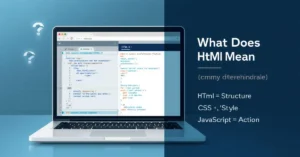
- HTML = structure
- CSS = design
- JavaScript = actions
If a webpage were a house:
- HTML would be the walls, rooms, doors, and labels
- CSS would be the paint, furniture, and layout style
- JavaScript would be the lights, moving doors, and interactive features
That is the easiest way to understand what HTML means without getting lost in technical jargon.
What Does Basic HTML Code Look Like?
Many articles explain the acronym but never show what HTML actually looks like. That is where beginners usually get stuck.
Here is a simple HTML page:
<!DOCTYPE html>
<html lang="en">
<head>
  <meta charset="UTF-8">
  <meta name="viewport" content="width=device-width, initial-scale=1.0">
  <title>My First Page</title>
</head>
<body>
  <h1>Welcome to My Website</h1>
  <p>This is a simple paragraph on a web page.</p>
  <a href="https://example.com">Visit Example</a>
</body>
</html>
This may look technical at first, but each part has a simple job.
What each part does
| HTML part | What it means |
|---|---|
<!DOCTYPE html> | Tells the browser this is an HTML document |
<html> | Wraps the whole page |
<head> | Holds information about the page, such as the title and metadata |
<title> | Sets the page title shown in the browser tab |
<body> | Holds the visible content people see on the page |
<h1> | Main heading |
<p> | Paragraph |
<a> | Link |
This is one of the most important things beginners need to see. HTML is not just an abstract acronym. It is a practical way of labeling content so the browser knows what to do with it.
HTML Tags, Elements, and Attributes Explained
These three terms are often confused, so it helps to separate them clearly.
Tags
Tags are the parts inside angle brackets, like <p> or <h1>.
Elements
An element is the full unit, usually including the opening tag, content, and closing tag.
Example:
<p>Hello world</p>
That whole line is a paragraph element.
Attributes
Attributes provide extra information about an element.
Example:
<a href="https://example.com">Visit</a>
In this example, href is an attribute. It tells the link where to go.
Common HTML Tags Beginners Should Know
A stronger article should not stop at one or two examples. Readers also want to know which tags they are most likely to see first.
| Tag | What it does | Example use |
|---|---|---|
<h1> to <h6> | Headings | Page title and section headings |
<p> | Paragraph | Regular text |
<a> | Link | Clickable text |
<img> | Image | Shows a picture |
<ul> / <ol> / <li> | Lists | Bulleted or numbered items |
<div> | Generic container | Groups content |
<span> | Inline container | Styles or marks small text parts |
<form> | Form area | Contact or signup form |
<input> | Input field | Name, email, search box |
<button> | Button | Submit or click action |
These are not the only HTML tags, but they are enough to help a beginner understand what HTML is doing on a real page.
HTML vs CSS vs JavaScript
This is one of the biggest confusion points, so it needs to be explained clearly.
| Technology | Main job | Simple explanation |
|---|---|---|
| HTML | Structure | Creates the page content and labels |
| CSS | Styling | Controls colors, spacing, fonts, and layout |
| JavaScript | Behavior | Adds interactivity and dynamic actions |
For example:
- HTML creates a button
- CSS makes the button look polished
- JavaScript makes the button do something when clicked
If you remember only one distinction, remember this: HTML gives the page structure and meaning.
Is HTML a Programming Language?
No, HTML is not usually considered a programming language.
It is a markup language.
That means HTML labels and structures content, but it does not perform logic in the same way languages like JavaScript, Python, or Java do.
This is where many beginners get confused. They hear people say HTML is “code,” which is true in a broad sense, but that does not make it a programming language in the usual way.
A clearer way to say it is:
HTML is code used for markup, not programming logic.
Where You May See HTML in Real Life
A lot of people think HTML only matters to professional developers. That is not true.
You may come across HTML when:
- editing blog posts in a CMS
- fixing website formatting
- adding links or images to a page
- checking page source in a browser
- reviewing SEO elements like titles and headings
- customizing landing pages
- working with email templates
- learning web design or front-end basics
So even if you are not trying to become a developer, basic HTML can still be useful.
Why Semantic HTML Matters
This is something many weaker articles skip.
Semantic HTML means using elements that describe what the content actually is, not just how it looks.
Examples include:
<header><nav><main><article><section><footer>
These elements make the page structure clearer.
That matters because:
- browsers can interpret the page better
- screen readers can guide users more clearly
- developers can maintain pages more easily
- search engines can understand page structure more effectively
For example, using a real <nav> element is usually better than using a plain <div> for navigation, because it gives the content a clearer meaning.
What Does HTML5 Mean?
You may also hear the term HTML5.
In everyday use, people often say HTML5 when they mean modern HTML. For most beginners, the important thing to understand is that HTML has evolved over time, and current HTML includes many features that support better structure, media, and web app experiences.
You do not need to get stuck on version labels when learning the basics. Start by understanding what HTML does, how tags work, and how a basic document is structured.
Common Mistakes People Make When Learning HTML
Thinking HTML controls everything on a page
It does not. HTML handles structure. CSS handles styling. JavaScript handles behavior.
Memorizing the acronym but not understanding markup
Knowing what the letters stand for is not enough. You also need to understand that HTML labels content.
Using generic containers for everything
Beginners often overuse <div> elements and ignore more meaningful elements like <header>, <main>, and <footer>.
Confusing tags with elements
A tag is part of an element, but not the whole thing.
Expecting HTML alone to create a modern interactive website
HTML can create a page structure, but most polished websites also need CSS and often JavaScript.
What Most Articles Miss About This Topic
Most articles answer “what does HTML mean” by expanding the acronym and stopping there.
That is not enough.
What readers usually need is this deeper clarification:
HTML is not mainly about making websites look good. It is about telling the browser what each piece of content is.
That distinction matters because a heading is not just large text. A link is not just clickable text. A navigation area is not just a group of words at the top of the page. HTML gives those parts meaning.
That meaning helps:
- browsers render pages correctly
- assistive technologies understand the page
- developers work with cleaner structure
- search engines interpret content more clearly
This is the real value behind HTML, and it is why learning even a little HTML can be useful far beyond coding classes.
Quick Reference: HTML at a Glance
| Question | Quick answer |
|---|---|
| What does HTML mean? | HyperText Markup Language |
| What is HTML used for? | Structuring web page content |
| Is HTML a programming language? | No, it is a markup language |
| What does HTML control? | Structure and meaning |
| What makes a page look good? | Usually CSS |
| What makes a page interactive? | Usually JavaScript |
| Do beginners need to learn every tag? | No, just the common ones first |
FAQ
What does HTML stand for?
HTML stands for HyperText Markup Language.
What is HTML used for?
HTML is used to structure and label content on web pages, such as headings, paragraphs, links, images, forms, and sections.
Is HTML hard to learn?
Basic HTML is usually beginner-friendly because many tags are readable and their purpose is easy to understand.
Is HTML still used today?
Yes. HTML is still a core part of the web and is used on modern websites of all sizes.
Can you build a website with only HTML?
You can build a very basic webpage with only HTML. However, most modern websites also use CSS for styling and JavaScript for interactive features.
What is the difference between HTML and HTML5?
HTML is the markup language itself. HTML5 usually refers to the modern version and feature set of HTML used on the web today.
What is an HTML file?
An HTML file is a document, often ending in .html, that contains the markup a browser reads to display a webpage.
Conclusion
If you were asking what does HTML mean, the simple answer is this: HTML means HyperText Markup Language, and it is the standard language used to structure web pages.
Once you understand that HTML gives a page its structure, the web becomes much easier to understand. You do not need to master everything at once. Start with the basic document structure, a few common tags, and the difference between HTML, CSS, and JavaScript.
Click Below To Read About These New Posts:
What Does Astute Mean? Definition, Examples, Synonyms, Usage
What Does Black Flag Mean? Complete Explanation
What Does Ambivert Mean? Traits, Signs, and Real-Life Examples

Hello! I’m Clara Lexis, creator of Meanpedia.com. I specialize in breaking down words, phrases, and idioms so that anyone can understand and enjoy the beauty of English. My goal? Making language approachable, fun, and meaningful, one word at a time.